

QR code phishing attacks have become one of the fastest-growing threat vectors in 2025, targeting executive inboxes with a simple but effective technique. Unlike traditional phishing emails that embed clickable links, QR code phishing attacks (also known as quishing) hide malicious URLs inside QR code images. These attacks exploit a fundamental blind spot in legacy email security infrastructure: most secure email gateways do not inspect the content of image files.
The result is credential theft, financial fraud, and initial access for ransomware operators. According to the FBI’s Internet Crime Complaint Center (IC3), QR code-based phishing reports increased by more than 400% between Q1 2024 and Q1 2025. Executives, board members, and finance teams are disproportionately targeted because attackers know these users check email on mobile devices where scanning a QR code feels routine.
This post examines why traditional email filtering fails against quishing, which technical gaps attackers exploit, and the specific scanning configurations and detection controls that stop this vector. Understanding QR code phishing attacks is critical for any organization that handles sensitive data or financial transactions through email.
Table of Contents
- What Is Quishing and Why Is It Surging Now
- The Technical Gap: Why Secure Email Gateways Miss QR Code Payloads
- Anatomy of a QR Code Phishing Attack Chain
- Real-World Examples: Who Gets Hit and How
- Detection Controls That Actually Work
- Building a Defensive Posture Against Image-Based Phishing
- What to Ask Your IT Partner About QR Code Protection
What Is Quishing and Why Is It Surging Now
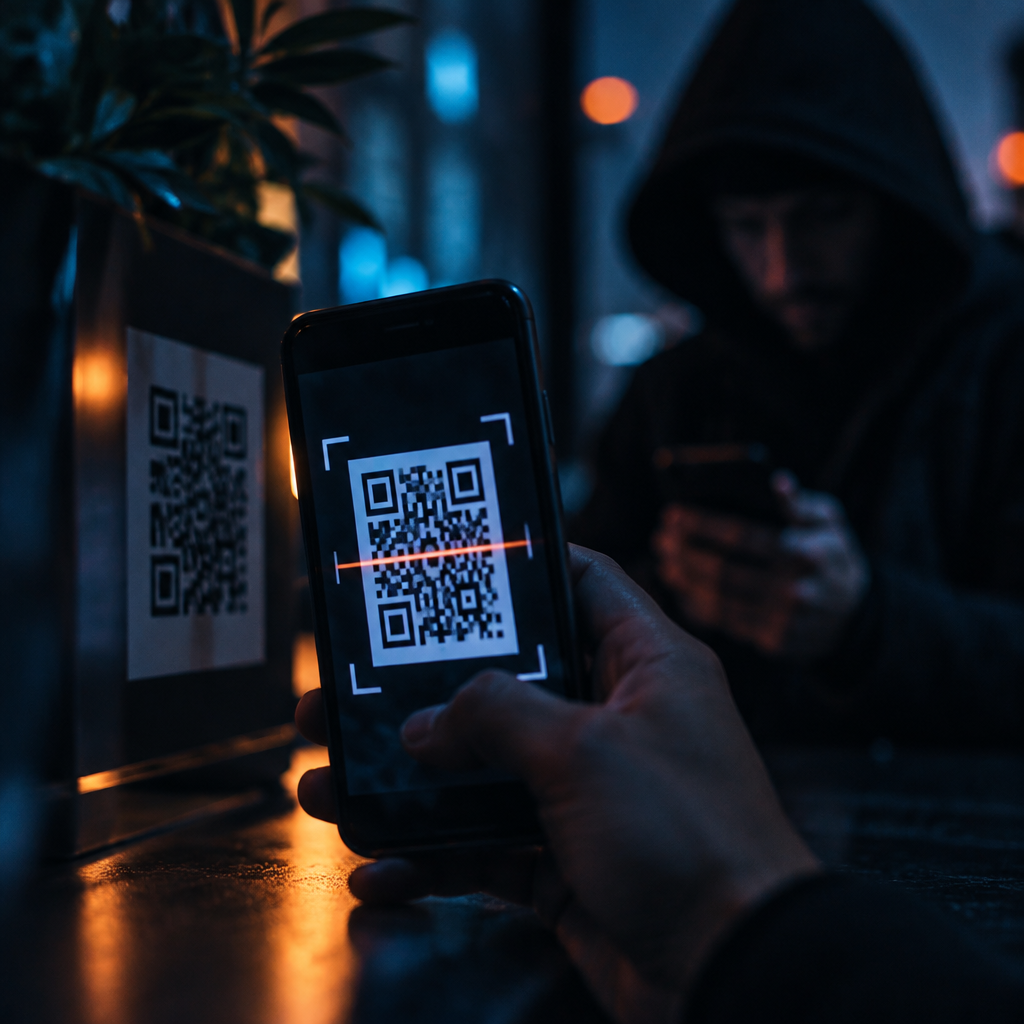
Quishing is a portmanteau of “QR” and “phishing.” The attack embeds a malicious URL into a QR code image, then delivers that image via email. When the target scans the code with their smartphone, they’re redirected to a credential harvesting page, malware download site, or payment fraud portal.
The technique is not new. Security researchers documented QR code-based attacks as early as 2012. What changed in 2024 and 2025 is attacker adoption at scale. Three factors drove the explosion:
- Pandemic-era normalization of QR codes. Contactless menus, payment systems, and authentication workflows trained users to scan codes without hesitation.
- Mobile email dominance. Executives check email on phones more than desktops. Scanning a QR code on mobile is frictionless. Inspecting a suspicious link is not.
- Detection evasion. Attackers discovered that most email security platforms treat images as inert objects. A QR code image sails through spam filters, URL reputation checks, and sandbox detonation without inspection.
The FBI IC3 report for 2024 highlighted quishing as a top-five emerging threat. By early 2025, nearly every major email security vendor had issued advisories acknowledging the gap. Organizations must understand how QR code phishing attacks differ from traditional phishing to properly defend against them.
The Technical Gap: Why Secure Email Gateways Miss QR Code Payloads
Traditional secure email gateways scan inbound messages for known malicious indicators. These platforms excel at detecting text-based threats. They parse email headers, analyze sender reputation, extract hyperlinks, check URLs against threat intelligence feeds, and detonate attachments in sandboxes.
The problem is architectural. Most legacy email security platforms do not perform optical character recognition or image content analysis on embedded graphics. When a QR code arrives as a PNG or JPEG attachment, the gateway sees a benign image file. The malicious URL encoded inside the QR code is invisible to the scanner. This is precisely why QR code phishing attacks continue to bypass conventional defenses.
Here’s why this gap exists:
- Processing cost. Decoding every image in every email requires compute-intensive optical character recognition. Legacy platforms were not designed for this workload at scale.
- False positive risk. Images contain QR codes for legitimate purposes—event tickets, shipping labels, multi-factor authentication enrollment. Early attempts to flag all QR codes generated unacceptable false positive rates.
- Lack of context. Even if a gateway decodes a QR code and extracts the URL, that URL may be a shortened link, a redirect chain, or a freshly registered domain with no reputation data. Traditional URL filtering cannot definitively classify it as malicious.
Attackers exploit this gap systematically. They craft emails with no text-based links, no suspicious attachments, and clean sender domains. The only payload is a QR code image. The email passes every traditional security check.
Anatomy of a QR Code Phishing Attack Chain
A successful quishing campaign follows a predictable pattern. Understanding the chain reveals where detection and prevention controls can intervene against QR code phishing attacks.
Step 1: Reconnaissance and Targeting
Attackers identify high-value targets through LinkedIn scraping, data broker purchases, or prior breach data. Executive assistants, CFOs, and board members are prioritized. The attacker notes the target’s likely email client, mobile device type, and corporate domain.
Step 2: Infrastructure Setup
The attacker registers a lookalike domain or compromises a legitimate but low-security domain. They stand up a credential phishing page designed to mimic Microsoft 365, Okta, or the target’s corporate portal. The page is hosted on a bulletproof hosting provider or a cloud service with lax abuse enforcement.
Step 3: QR Code Generation
The attacker encodes the phishing URL into a QR code using free online generators. The QR code is saved as a high-resolution PNG or JPEG. To avoid static image signatures, attackers often randomize the QR code’s error correction level, add a logo overlay, or apply slight visual distortions.
Step 4: Email Delivery
The attacker sends the email. Common lures include:
- Fake multi-factor authentication re-enrollment notices
- Fraudulent payment or invoice verification requests
- Fake IT security alerts instructing the recipient to verify their account
- Executive impersonation messages claiming the sender’s phone is broken and asking the recipient to scan a QR code to join a secure chat
The email contains minimal text and no clickable links. The QR code is the only interactive element. The message creates urgency and bypasses skepticism.
Step 5: User Interaction
The target receives the email on their phone, sees a professional-looking QR code, and scans it. Their phone’s camera app or a QR scanning application decodes the URL and navigates to the phishing site. Because the URL was never transmitted as text in the email, no email security control inspected it. This is a hallmark characteristic of QR code phishing attacks.
Step 6: Credential Harvesting or Malware Delivery
The victim lands on a fake login page that harvests credentials in real time. Some campaigns deliver malware payloads disguised as required security updates. Others redirect to payment fraud portals where the victim is tricked into authorizing a wire transfer or gift card purchase.
Real-World Examples: Who Gets Hit and How
Quishing is not a theoretical threat. High-profile incidents in 2024 and early 2025 demonstrate the technique’s effectiveness across industries. These real-world QR code phishing attacks illustrate the urgency of implementing proper defenses.
Energy Sector Executive Compromise
In March 2024, a U.S.-based energy company reported a business email compromise incident that began with a QR code phishing email. The attacker impersonated the company’s external auditor and sent the CFO a message requesting urgent verification of a regulatory filing. The email contained a QR code labeled “Secure Document Access.”
The CFO scanned the code on his phone and entered his Microsoft 365 credentials on a phishing page. The attacker immediately used those credentials to access the company’s email environment, identify pending wire transfers, and send fraudulent payment instructions to the accounts payable team. The company lost $1.2 million before the fraud was detected.
Healthcare Practice Credential Theft
A multi-location healthcare practice in the Philadelphia metro area experienced a credential phishing attack in January 2025. The attacker sent emails to the practice’s physicians and office managers with QR codes claiming to be a mandatory health system security update.
Four users scanned the codes and entered credentials. The attacker used the stolen credentials to access patient records and billing systems. Although no ransomware was deployed, the breach triggered HIPAA notification requirements and regulatory scrutiny. This case demonstrates how QR code phishing attacks can lead to compliance violations.
Financial Services Firm Targeted at Scale
A New York-based investment advisory firm detected a large-scale quishing campaign targeting its partners and portfolio managers in February 2025. The emails impersonated the firm’s IT department and claimed recipients needed to re-enroll in multi-factor authentication by scanning a QR code.
The firm’s secure email gateway flagged none of the messages. The attack was only detected after an alert analyst noticed multiple users reporting the same suspicious email through the firm’s phishing reporting workflow. Post-incident analysis revealed that the QR codes pointed to a lookalike domain registered three days prior.
Detection Controls That Actually Work Against QR Code Phishing Attacks
Stopping QR code phishing attacks requires layered defenses that extend beyond traditional email filtering. The following controls represent the current state of effective detection and prevention for QR code phishing attacks.
Optical Character Recognition in Email Gateways
Modern email security platforms have begun integrating optical character recognition engines that decode QR codes embedded in image attachments. When a QR code is detected, the platform extracts the encoded URL and subjects it to the same reputation, sandboxing, and threat intelligence checks applied to text-based links.
Effective implementations include:
- Real-time QR decoding at the email gateway layer before delivery
- URL extraction and analysis against threat intelligence feeds and newly registered domain lists
- Behavioral analysis to detect QR codes that point to credential input forms or known phishing infrastructure
Not all optical character recognition implementations are equal. Some platforms decode QR codes but don’t analyze the extracted URL in context. Others generate excessive false positives by flagging legitimate QR codes in shipping notifications and event invitations. The best platforms apply risk scoring based on sender reputation, message content, and URL characteristics to stop QR code phishing attacks effectively.
Image Hash and Visual Similarity Detection
Attackers often reuse QR code images across campaigns. Image hashing allows security platforms to create cryptographic fingerprints of known malicious QR codes and block emails containing matching or visually similar images.
Advanced platforms use perceptual hashing rather than exact hash matching. This technique identifies images that are visually similar even if pixels have been altered, colors adjusted, or logos overlaid. It’s particularly effective against attackers who generate slight variations of the same QR code to evade signature-based detection.
Sender Policy Framework, DKIM, and DMARC Enforcement
Many quishing emails originate from spoofed or compromised domains. Strict enforcement of email authentication standards reduces the volume of fraudulent messages that reach inboxes.
Organizations should:
- Publish and enforce DMARC policies set to quarantine or reject for their own domains
- Configure email gateways to reject inbound mail that fails SPF, DKIM, or DMARC checks from high-risk sender domains
- Monitor DMARC reports to identify spoofing attempts and compromised sending infrastructure
While email authentication doesn’t directly inspect QR code payloads, it reduces the attacker’s ability to impersonate trusted senders—a common quishing tactic.
User Reporting Workflows and Threat Intelligence Sharing
Human reporting remains one of the fastest ways to detect novel phishing techniques. Organizations with mature security cultures empower users to report suspicious emails with a single click. Security teams analyze reported messages, extract indicators of compromise, and feed them back into detection systems.
When a user reports a quishing email, the security team should:
- Extract and decode the QR code to identify the malicious URL
- Block the URL at the web proxy and firewall layers
- Search email logs for other messages containing the same image hash or sender domain
- Share indicators with industry groups and threat intelligence platforms
This workflow turns a single reported email into organization-wide protection and contributes to broader community defense against QR code phishing attacks.
Mobile Device Management and Conditional Access Policies
Because quishing disproportionately targets mobile users, controls at the device and access layer provide additional defense against QR code phishing attacks.
Effective mobile security configurations include:
- Conditional access policies that require managed devices and compliant security postures before granting access to corporate email and applications
- Mobile threat defense platforms that inspect URLs opened on managed devices and block known phishing sites in real time
- Restrictions on camera-based QR scanning from within corporate email clients on unmanaged devices
Even if a malicious QR code reaches a user’s inbox, these controls can prevent credential submission or malware installation by blocking access to the phishing site at the network or application layer.
Building a Defensive Posture Against Image-Based Phishing
Stopping quishing is not a single-vendor or single-technology problem. It requires a layered security posture that combines technology, process, and user awareness to defend against QR code phishing attacks.
Technology Layer
Deploy email security platforms with native QR code decoding and image analysis capabilities. Ensure the platform integrates with threat intelligence feeds and can perform real-time URL reputation checks on decoded links. Validate that the platform’s optical character recognition engine handles common evasion techniques like distorted codes, low-contrast images, and embedded logos.
Integrate mobile threat defense on corporate-issued and bring-your-own-device endpoints. Configure these platforms to inspect all URLs accessed from managed devices, regardless of whether the URL was delivered via email, SMS, or QR code.
Process Layer
Establish incident response runbooks specifically for quishing. Define escalation criteria, containment steps, and communication protocols. Ensure security teams know how to extract and analyze QR code payloads, search email logs for related messages, and coordinate with identity and access management teams to reset compromised credentials.
Regularly review email authentication policies. Audit SPF, DKIM, and DMARC configurations for your own domains and enforce strict validation on inbound mail from external domains. This helps prevent QR code phishing attacks from reaching your users.
Awareness Layer
Train users to recognize quishing attempts. Effective training should explain:
- Why QR codes in unsolicited emails are high-risk, especially when the email creates urgency or claims to be from IT or executive leadership
- How to verify the legitimacy of a QR code by contacting the purported sender through a known-good channel before scanning
- The importance of inspecting the URL displayed after scanning a QR code before entering credentials or downloading files
Phishing simulations should include quishing scenarios. Track metrics like scan rate, credential submission rate, and reporting rate. Use results to identify high-risk user populations and tailor training accordingly to combat QR code phishing attacks.
Governance Layer
Board-level and executive leadership should understand that quishing represents a material risk. It bypasses technical controls many organizations assume are comprehensive. It targets the users least likely to tolerate friction in their workflows. And it’s increasing in volume and sophistication.
Risk committees should ask:
- Does our email security platform inspect QR codes and other image-embedded payloads?
- Do we have visibility into QR code-based attacks that reach user inboxes?
- What is our mean time to detect and respond when a user scans a malicious QR code?
- Are our incident response plans current for credential compromise scenarios initiated by quishing?
These questions belong in the same governance conversations as ransomware preparedness and third-party risk management. Understanding the threat landscape of QR code phishing attacks is essential for effective risk management.
What to Ask Your IT Partner About QR Code Protection
If your organization relies on a managed IT or cybersecurity services partner, use the following questions to assess whether your current defenses address the quishing threat and protect against QR code phishing attacks.
Detection Capabilities
Does your email security platform perform optical character recognition on image attachments to extract and analyze QR code payloads? If so, which specific detection techniques does it use: exact hash matching, perceptual hashing, real-time URL decoding, or behavioral analysis?
What percentage of inbound emails containing QR codes are flagged for manual review or automatically quarantined? How do you tune detection to minimize false positives while maintaining coverage against QR code phishing attacks?
Incident Response
If a user reports a suspected quishing email, what is your process for extracting the QR code, decoding the URL, and searching for other instances of the same campaign across our email environment?
What is your mean time to containment for a credential compromise event initiated by QR code phishing? Do you have automated workflows to disable compromised accounts, reset credentials, and revoke active sessions?
Mobile Security
Do we have mobile threat defense deployed on corporate-issued devices? Does it inspect URLs accessed via QR codes scanned outside of email, like from SMS or printed materials?
Are conditional access policies enforced for mobile users accessing corporate email and applications? What compliance checks are required before access is granted to prevent QR code phishing attacks?
User Awareness
Do your phishing simulations include QR code-based scenarios? What percentage of our user population has been exposed to quishing training in the past six months?
What is our organization’s user reporting rate for suspicious emails? Do you track and report on quishing-specific reporting metrics separately from other phishing types?
Threat Intelligence
Do you subscribe to threat intelligence feeds that include indicators of compromise specific to quishing campaigns? How quickly are newly identified malicious QR code URLs integrated into our blocking and detection systems to defend against QR code phishing attacks?
These questions will surface whether your IT partner has adapted their security architecture to address image-based phishing or whether you’re relying on legacy controls that leave executive inboxes exposed to QR code phishing attacks.
The Bottom Line on QR Code Phishing in 2025
QR code phishing attacks are not a passing trend. They represent a fundamental shift in attacker tradecraft, driven by changes in user behavior, mobile email adoption, and the technical limitations of legacy email security platforms. The explosion of quishing targeting executive inboxes reveals a truth many organizations are reluctant to confront: traditional email filtering is not designed to inspect image-embedded payloads.
The gap is fixable. Optical character recognition, perceptual hashing, mobile threat defense, and strict email authentication enforcement can dramatically reduce exposure to QR code phishing attacks. But these controls must be deployed intentionally, tuned carefully, and integrated into a broader defensive posture that includes incident response, user awareness, and governance oversight.
Organizations that treat quishing as a niche threat or assume their current email security platform handles it by default will continue to experience credential compromise, financial fraud, and initial access events that could have been prevented. The data is clear. The attack vector is proven. The defenses exist. The question is whether your organization has deployed them to protect against QR code phishing attacks.
If you need help evaluating your defenses against QR code phishing attacks or implementing advanced managed IT security, book a free cybersecurity strategy call. We’ll walk through your email security architecture, identify gaps specific to QR code phishing attacks, and show you exactly where quishing could reach your executives.
Get a Second Opinion
Sometimes the best thing you can do for your business is have someone outside your current vendor relationship take a fresh look. That’s what a strategy call gives you — 20 focused minutes with our team and a no-strings-attached read on what we’d recommend.